
Photo Uploader
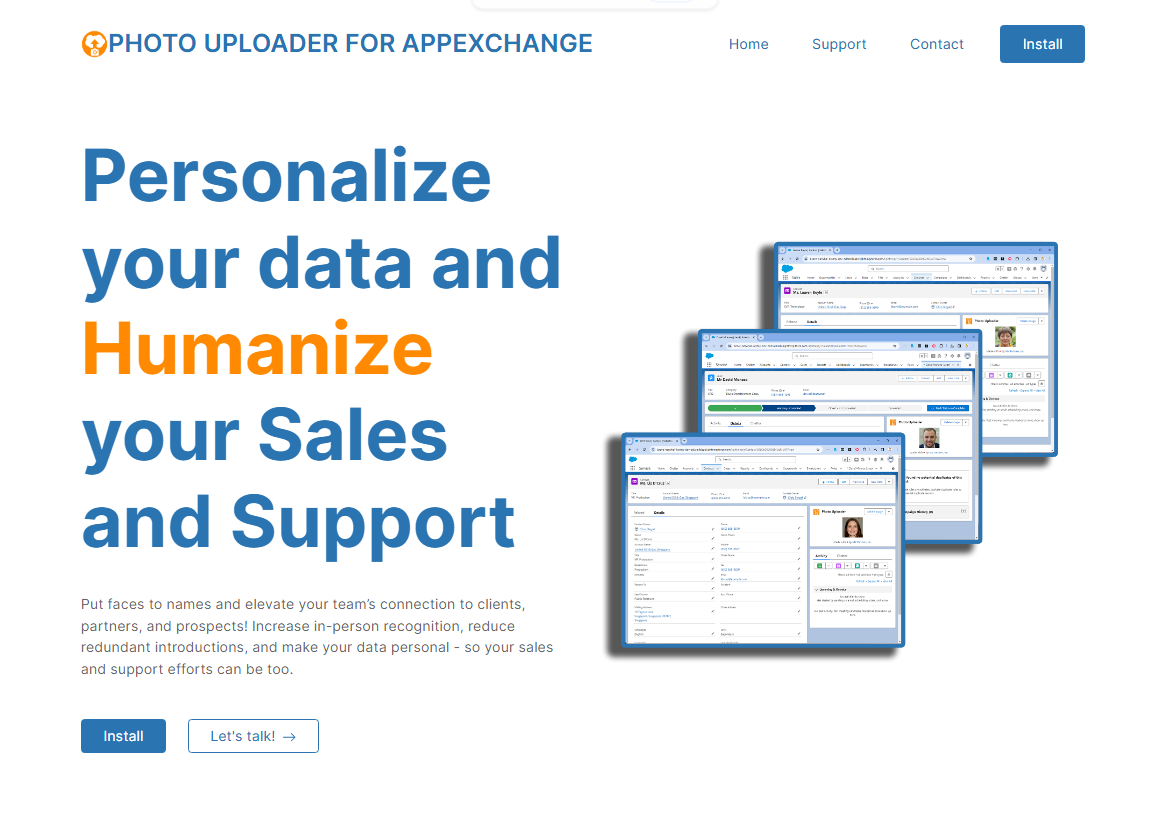
Personalize Your Salesforce Data & Humanize Your CRM
Attach, display, crop, and manage photos, avatars, and visual assets directly on standard and custom Salesforce records across desktop and mobile devices.
Engineered for Performance & Simplicity
Explore why leading organizations rely on Photo Uploader to maximize productivity across their Salesforce orgs.
Drag & Drop Uploading
Effortlessly drag images directly onto Contact, Lead, Account, or Custom Object records for immediate thumbnail rendering.
Custom Object Support
Attach photos to Product catalogs, Property listings, Asset inspections, Cases, and any custom Salesforce entity.
Salesforce Mobile Ready
Snap photos on phone or tablet cameras and upload them directly into records in real time during field inspections or client meetings.
Built-In Image Editor
Crop, rotate, zoom, adjust contrast, and center faces directly within Salesforce before saving the final image.
Automatic Renaming & Optimization
Standardize file names automatically with record metadata and optimize image compression to conserve Salesforce file storage.
Bulk Upload via Data Loader
Batch upload hundreds of employee headshots or product inventory photos using Salesforce Data Loader or APIs.
Up and Running in 3 Simple Steps
Install from AppExchange
Deploy the managed package with 1 click. Zero custom code, external endpoints, or API keys needed.
Add to Lightning Record Pages
Drag the Photo Uploader component onto your Contact, Lead, Account, or Custom Object page layouts in Lightning App Builder.
Upload, Crop & Enjoy
Drag and drop any image file or snap a picture on mobile. Crop to perfection with instant thumbnail previews.
Choose the Right Edition for Your Team
Every MK Partners application offers three tailored editions: Free, Full Speed, and Performance.
Free Forever
Essential photo uploading for standard objects like Contacts, Leads, Accounts, and Users.
Free on Salesforce AppExchange.
What's included:
- Supported objects: Contacts, Leads, Accounts, Users
- Supported formats: BMP, GIF, PNG, JPG, JPEG
- 100% Native, no setup code required
- Lightweight Salesforce storage footprint
- Drag-and-drop single photo upload
- Standard circular or square thumbnail display
- Standard Salesforce file permissions
Full Speed
Unlock custom objects, multiple photos, mobile app camera uploads, and remove branding.
Sold on an annual contract. Full custom objects.
What's included:
- Everything in Free Edition
- Full support for ALL Custom Objects
- Salesforce Mobile App & camera photo capture
- Multiple photos & gallery view per record
- Custom thumbnail dimensions & aspect ratios
- Automatic renaming of uploaded files with record fields
- Removes 'Made with Love' footer branding
- Upload images directly via public URL
- Standard email & customer support
Performance
In-app image editing, mass bulk uploading with Data Loader, and enterprise optimization.
Sold on an annual contract. Full editor & mass upload.
What's included:
- Everything in Full Speed Edition
- Built-in In-App Image Editor (crop, rotate, zoom, contrast)
- Mass / Bulk photo upload via Salesforce Data Loader
- Automated compression & storage optimization engine
- Custom watermarking & overlay badges
- Advanced file permission controls & audit history
- Priority developer support & implementation assistance
Feature Comparison Matrix
Compare capabilities across Free, Full Speed, and Performance editions of Photo Uploader.
| Feature | Free | Full Speed | Performance |
|---|---|---|---|
| Object & Layout Support | |||
| Primary Standard Objects (Contact, Lead, Account) | ✔ | ✔ | ✔ |
| Custom Objects (Assets, Products, Cases, etc.) | — | ✔ | ✔ |
| Salesforce Mobile App & Camera Capture | — | ✔ | ✔ |
| Custom Thumbnail Dimensions & Layouts | — | ✔ | ✔ |
| White-Label (Remove 'Made with Love') | — | ✔ | ✔ |
| Image Editing & Automation | |||
| Supported Formats (BMP, GIF, PNG, JPG, JPEG) | ✔ | ✔ | ✔ |
| Upload via Web URL | — | ✔ | ✔ |
| Automatic File Renaming based on Record | — | ✔ | ✔ |
| In-App Image Editor (Crop, Rotate, Zoom) | — | — | ✔ |
| Mass Batch Upload via Data Loader | — | — | ✔ |
| Compression & Storage Optimizer | — | — | ✔ |
Trusted by Salesforce Professionals
Read what real admins and business leaders say about Photo Uploader.
"Wow. Lot easier than expected."
"It's fantastic. It easily brings images in. It's great, we can add LinkedIn Profile pictures to our Leads/Contacts. Really helpful."
Frequently Asked Questions
Have questions about Photo Uploader licensing, installation, or editions?
Where are uploaded photos stored? +
Can I use Photo Uploader on custom Salesforce objects? +
Does it work in the Salesforce Mobile App? +
Ready to Experience Photo Uploader?
Install the Free edition today or choose Full Speed for advanced automation and premium features.
Compare Editions & Get Started